Some Windows 7 users have successfully added a network printer but are unable to use it. Please refer to the following guide:
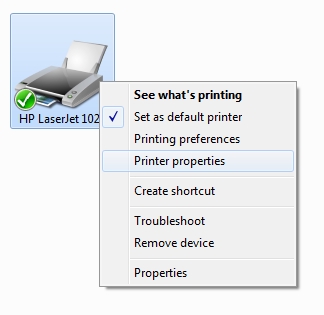
Step 1: Right-click the printer icon and select “Printer Properties (P)”.
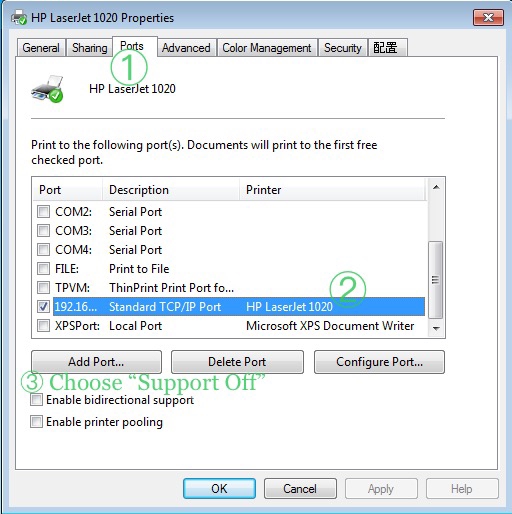
Step 2: In the properties window:
① Click the “Ports” tab at the top;
② In the port list, select the corresponding TCP/IP port (as shown);
③ Uncheck “Enable bidirectional support (E)” at the bottom.
After completing the settings, click “Apply (A)” and then “OK”.
After completing the above steps, please try printing again.